For nurseries, pre-schools and childminders
Share nursery photos without sharing the children
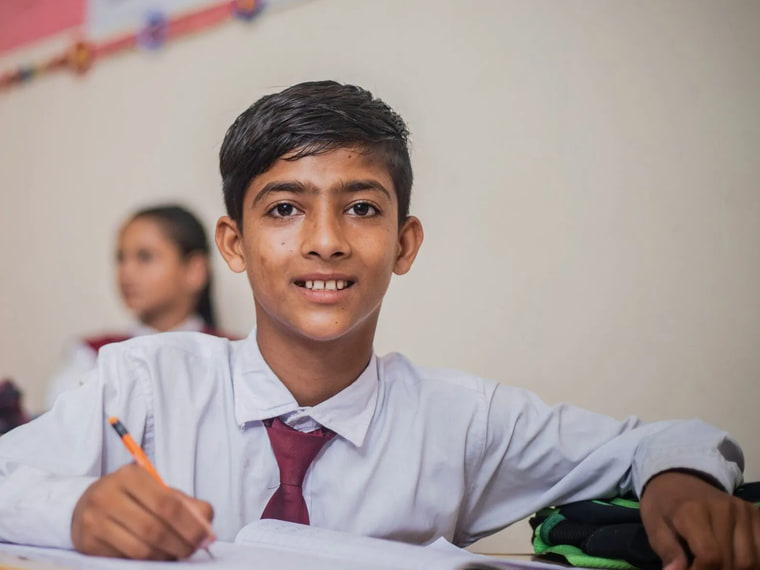
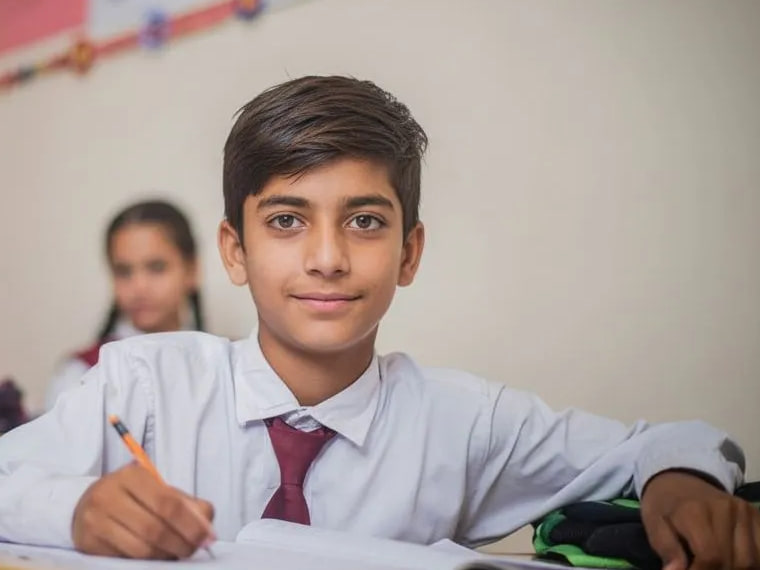
Messy play, the garden, the trip to the farm. Show families and prospective parents what a day with you looks like — every child you tap gets a brand-new face, same age, same giggle.
- ✓ 2 photos free
- ✓ No card
- ✓ About ~20 seconds
Where your photos go
The photos that go beyond one family.
Group shots
Circle time, the nativity, the Christmas party — where one child's photo is every child's photo.
Your website
Room pages and galleries that show prospective parents real days, not empty rooms.
Facebook and Instagram
Weekly posts for local families, without checking every face against a consent list.
Open days and leaflets
Marketing photos that feel like your setting — without using any real child's face to sell it.
Photos are how nurseries are chosen
Parents choosing a nursery want to see the rooms in use: children painting, building, napping, playing in the garden. An empty room or a page of stock photos tells them nothing. But the children in your photos are the youngest and least able to consent of anyone, and many parents — rightly — don't want their child's face on a public page.
Safeguard lets you keep the real photo and remove the risk. Tap each child and they get a newly generated face that keeps their approximate age and expression, with complexion matched to their own neck and hands. The room, the activity and the staff stay exactly as they were.
The EYFS statutory framework already asks every setting's safeguarding policy to cover the use of mobile phones and cameras. Anonymising the photos you publish is a simple, visible step to add to it.
Private updates and public photos are different
Daily updates sent privately to a child's own parents — through a learning journal or parent app — normally show that child as they are. The risk is in everything else: the group photo that goes to every family, the website gallery, the Facebook post. That's where a single child without consent used to mean a photo you couldn't use.
Now you tap that child and post the rest as normal. If you're reviewing the consent you ask for at registration, our free photo consent form covers websites, social media and anonymised images, and our guide Can schools post photos of children? sets out what the ICO and NSPCC guidance says — it applies to early years settings too.
Why it matters now
In May 2026 the National Crime Agency, the Internet Watch Foundation and the Early Warning Working Group told schools to remove identifiable photos of children from their sites, because images taken from them were being turned into AI-generated abuse images. A photo that can't be traced to a real child can't be used that way.
Simple pricing for small settings
Every account starts with 2 free photos — no card (free photos are watermarked). Then buy a pack when you need one: 50 photos for £19, 200 for £49 or 500 for £99. No subscription, photos never expire, and you're never charged for a photo that fails. Groups running several settings can email us. Full details are on the pricing page.
At the end of the session
Done before pick-up time.
- 01
Upload from the setting's phone or tablet
JPG, PNG or iPhone photos straight from the camera roll.
- 02
Tap the children
Change every child, or only those whose parents haven't agreed to wider sharing. Staff can stay as they are.
- 03
Download and share
About 20 seconds a photo. Redo any single face, then post it wherever you like.
Does it work on babies and toddlers?
Should we use it on photos in our parent app?
Does it connect to our nursery software?
What happens to the children's photos?
We're a small setting. Is it worth it?
Show parents a real day with no real faces.
Try it on two of your own photos now. No card, nothing to install.
Anonymise 2 photos free →- ✓ 2 photos free
- ✓ No card
- ✓ About ~20 seconds