Blur faces in photos
Blur faces in photos — or give them new ones
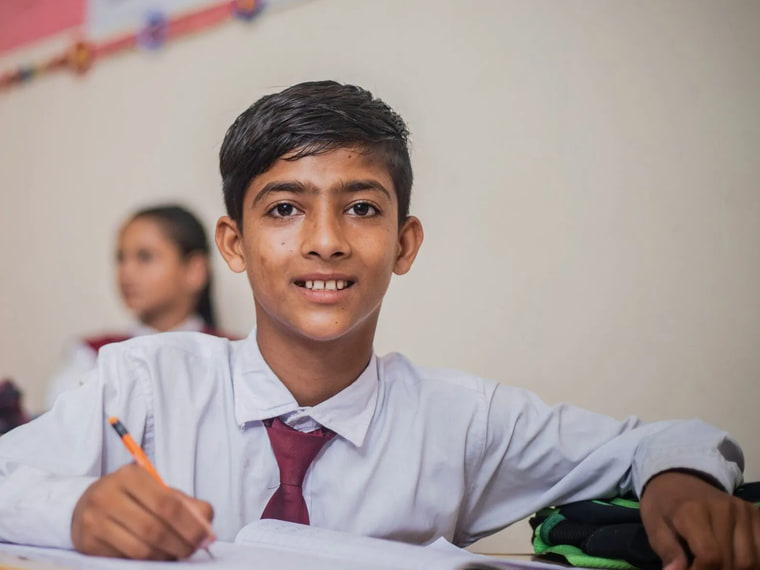
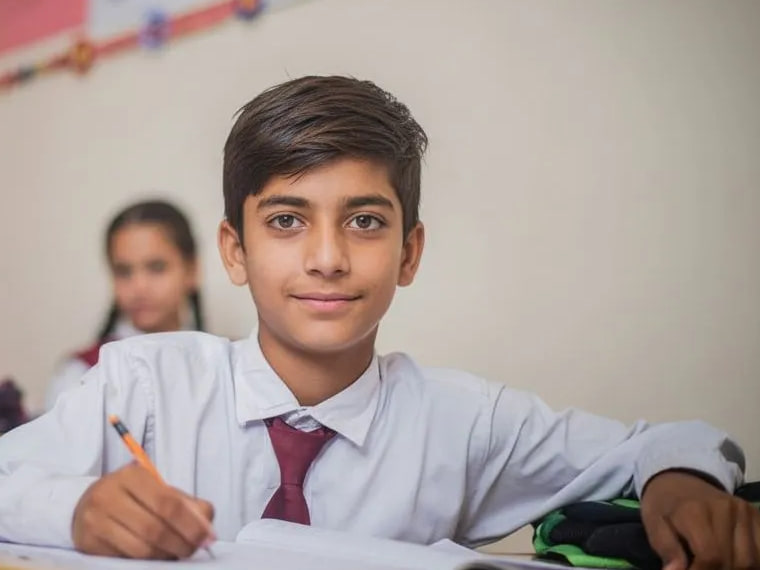
Blurring, pixelating and emoji stickers all hide a face by spoiling the photo. Safeguard Vision replaces each face you tap with a brand-new one — same age, same smile, same moment — so the photo still looks like the day it was taken, and nobody in it can be identified.
- ✓ 2 photos free
- ✓ No card
- ✓ About ~20 seconds
The short answer
To blur a face, use your phone's photo editor (on iPhone: Edit → Clean Up, then scribble over the face) or a free online face blur tool. If the photo is going on a school website, newsletter or social feed, consider replacing the faces instead — a blurred child is still recognisable to anyone who knows them, and the photo looks edited.
Every way to hide a face, compared
| Method | How the photo looks | What it hides | Effort |
|---|---|---|---|
| Blur | Obviously edited | Face detail only | Seconds |
| Pixelate | Obviously edited | Face detail only | Seconds |
| Emoji or sticker | Covers the moment | The face, and the expression | Seconds |
| Crop or shoot from behind | No faces in the photo | Everything | Planning every shot |
| Replace the face (Safeguard) | Natural — a real-looking child | Who the child is | About 20 seconds |
How to blur a face in a photo
On an iPhone
On an iPhone 15 Pro or newer with Apple Intelligence turned on, open the photo in Photos, tap Edit, choose Clean Up and scribble over the face. Photos recognises it's a face and pixelates it rather than erasing it. On older iPhones, use Markup to draw a filled shape over the face. Our step-by-step iPhone guide covers both.
On Android
Open the photo in your gallery app's editor and use its drawing or markup tool to cover the face, or install a face blur app that detects faces for you. Check what the app does with your photos before you upload pictures of children.
On a computer
- Open the photo in an online face blur tool, Canva, Photoshop or GIMP.
- Select each face — most face blur tools find them automatically.
- Apply a blur or pixelate effect, turn the strength up until the face can't be made out, and download.
Why blurring isn't enough for photos of children
A blur hides the details of a face, not the person. Parents, classmates and anyone else who knows a child can still pick them out from their hair, their build, their uniform and where they're standing. And obscuring a face isn't the same as removing it: researchers at Cornell Tech and the University of Texas showed that machine learning can recognise faces through blurring and pixelation.
That matters more now than it did. In May 2026 UK schools were advised to take identifiable photos of pupils offline because they were being used to make AI abuse images — read what schools can and can't post.
And blurred photos don't do the job they were taken for. Nobody wants a newsletter full of smudges or a sports-day post where every child is a smiley face.
Replace faces instead of blurring them
Safeguard Vision finds every face in the photo. You tap the ones to change — or Change all — and each gets a newly generated face with the same approximate age, expression and complexion, matched to the child's own neck and hands and lit to match the photo. Everyone you don't tap, the room, the uniforms and the moment stay exactly as they were.
- Drop in your photos — one photo or a whole sports day, including iPhone HEIC files.
- Tap the faces to change. Leave staff, or children whose parents have consented, as they are.
- Download and post. About 20 seconds a photo.
Your first 2 photos are free, with no card. After that, packs start at £19 for 50 photos — no subscription, and they never expire. See pricing.
Common questions
Blurring faces: your questions.
What's the quickest way to blur a face in a photo?
Is blurring a face enough to make someone anonymous?
What's the difference between blurring and pixelating a face?
Can I blur several faces at once?
Does Safeguard Vision blur faces?
What happens to the photos I upload?
Stop blurring. Start sharing.
Try it on two of your own photos now. If it doesn't earn a place in your week, you've lost nothing.
Anonymise 2 photos free →- ✓ 2 photos free
- ✓ No card
- ✓ About ~20 seconds